
Apple Privacy Explained: How Apple Protects Your Data (and Why It Matters)
How Apple privacy works and what it means in real life

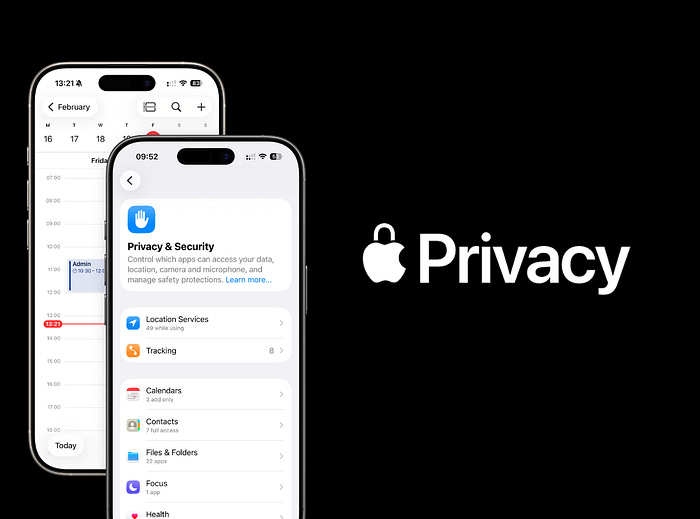
Whenever you look at Apple’s communication, one thing shows up again and again: privacy.
But many people still don’t treat privacy as an important part of their digital life. That’s a mistake.
If you zoom out and look at the companies and products we use every day, like Google, Meta, and others, you start to realize how much data we’re constantly sharing.
So what does Apple actually do differently? And how does Apple protect your data in practice?
Apple Ecosystem Privacy
Apple’s approach to privacy isn’t just about devices. It’s about the entire ecosystem.
Apple allows third-party apps and accessories, but only under strict privacy requirements. If a company wants to be part of the Apple ecosystem, it has to meet these standards.
The reason is simple: Apple enforces high expectations for how data is handled, stored, and shared.
This is also why I rely only on Apple apps and devices. It’s not just about the iPhone or Apple Watch. It’s also about tools like Notes, Reminders, and Apple Wallet working inside one controlled environment.
If you’ve seen how tightly everything connects, this is part of why the Apple ecosystem actually becomes hard to leave.
How Apple Protects Your Privacy
Apple’s approach can be summarized in a few simple rules:
Collect less data
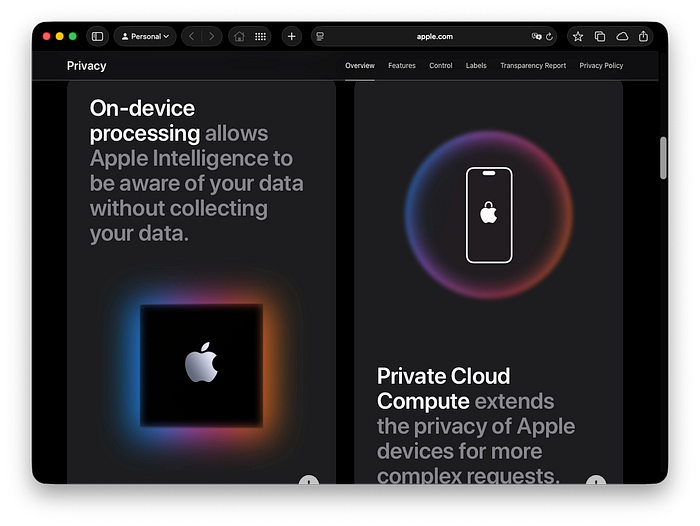
Process data on your device
Encrypt what leaves your device
Ask permission for tracking
Other ecosystems are improving, but Apple still stands out because its business model does not depend on collecting and selling your data.
1. On-device processing
Features like Siri, Photos, and Face ID run directly on your device. Data does not need to go to servers, which lowers exposure risk. So actually less data leaves your phone.
Difference:
Apple → local-first approach
Google / Meta → more cloud processing → more data collection
2. End-to-end encryption
iMessage, FaceTime, passwords, and Health data are encrypted. Even Apple cannot read them.
Difference:
Apple encrypts more categories by default, especially with Advanced Data Protection.
Many competitors still keep backups readable on servers.
3. App Tracking Transparency
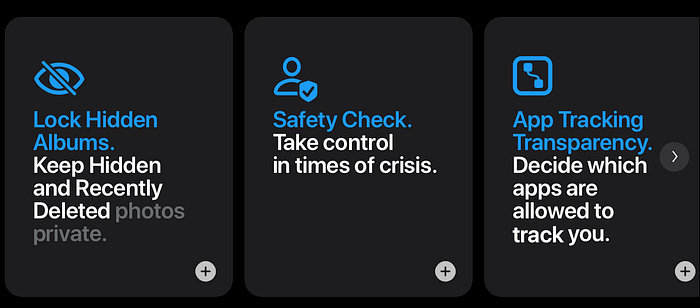
Apps must ask before tracking you across other apps and websites.
Difference:
Apple enforces opt-in tracking.
Other platforms historically allowed broader tracking, although this is slowly changing.
4. Privacy labels
Every app clearly shows what data it collects.
Difference:
Apple standardizes this across all apps.
Other ecosystems are less consistent.
5. Secure hardware
Face ID and Touch ID data are stored in a separate secure chip. This data never leaves your device.
Difference:
Apple tightly integrates hardware and software.
Other ecosystems vary depending on the manufacturer.
6. Minimal data collection business model
Apple makes money from devices and services, not advertising.
Difference:
Google and Meta rely heavily on ads, which naturally drives more data collection.
For Mac Users
Recently I just updated my newsletter branding. New logo, new domain to better fit the stuff I talk about online.
I also build a dedicated publication on Medium - by Mac users, for Mac users. We cover the apps already on your device, the gear worth buying, and the workflows that actually stick — without the tech hype.
If you are a Medium user, I would really appreciate if you hit follow. That means a lot for me.

How Data Is Typically Collected (Apple vs Google and Meta)
To understand Apple privacy, let’s compare how data is handled in other brands.
Google
Search and YouTube build a detailed interest profile based on what you search, watch, and click
Location tracking (Maps / Android) stores your movement history and places you visit
Gmail metadata can detect purchases, travel, and subscriptions
Chrome tracks browsing behavior across websites
Result: A highly detailed user profile used for personalization and advertising.
Meta
Facebook and Instagram track likes, comments, and time spent
Tracking pixels follow your activity across external websites
Apps connect your behavior across multiple platforms
Your social graph builds a network profile of who you know
Result: Cross-platform tracking that enables very precise ad targeting.
Apple takes a different approach. If you rely on built-in apps, like Apple Notes and Reminders as your core system, there is significantly less data flowing into external platforms.
How Apple Devices Protect Your Data in Practice
AirPods
Pairing and switching happen locally via your Apple ID
Siri requests are often processed on-device
Impact: No behavioral profile is built from what you listen to across apps.
HomePod
Siri requests are tied to a random identifier, not your identity
Smart home data stays within the HomeKit ecosystem
Impact: Voice commands are not linked into an advertising profile.
Apple Wallet
Apple Pay uses tokenization, so your real card number is never shared
Transactions are not stored in a central advertising profile
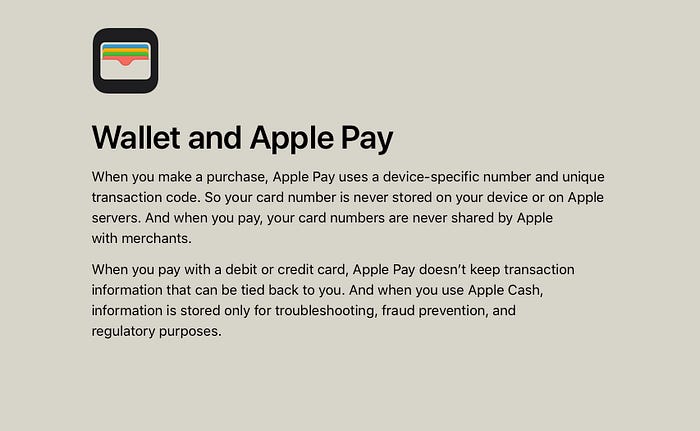
Impact: Your purchases are not used to build a behavioral profile. And your payments details are well protected.
Why Apple Privacy Matters in Daily Life
This is where it becomes practical.
1. Your conversations stay private
Messages, calls, and photos are not readable by outsiders. Even if servers are compromised, your chats are protected.
2. Less intrusive ads
You are less likely to see hyper-targeted ads based on everything you do.
3. Lower risk in data breaches
Less stored data means less damage if something leaks.
4. Safer apps
Apps must ask before tracking and clearly show what they collect.
5. Your biometrics stay on your device
Face ID and fingerprint data never leave your device.
6. More control
You decide what apps can access, from location to photos to tracking.
Summary
Apple privacy is built on collecting less data and processing it locally
Encryption and secure hardware protect sensitive information
Google and Meta rely more on data collection for advertising
Apple trades personalization for predictability and control
Your data stays closer to you, not in external profiles
Thanks for reading!
P.S. I share more useful Apple workflows every Monday in my quick newsletter.