
How I Created a Weekly Planner Using Apple Reminders
From paper planner to Apple Reminders: my weekly system

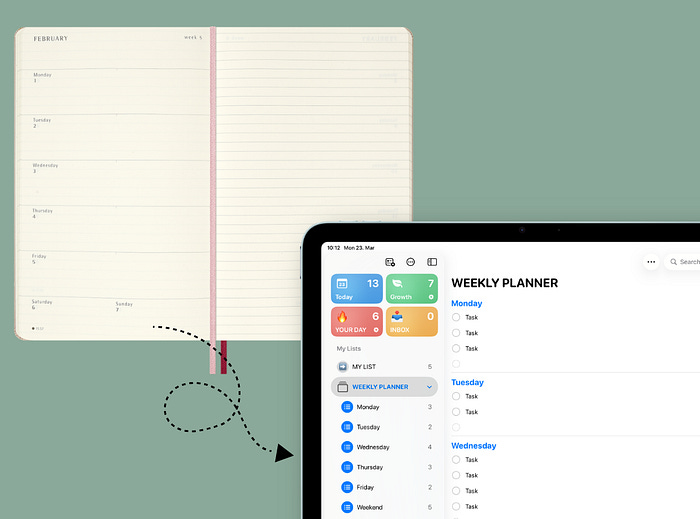
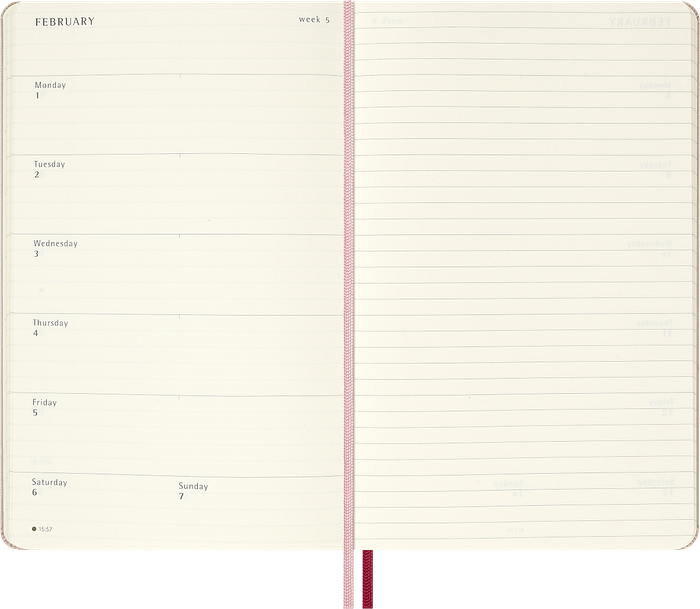
Fourteen years ago, I relied on a paper planner. Every Sunday, I would sit down with my Moleskine and map out the week ahead. The part I loved most was the weekly view — everything on one page, clear and simple.
When I moved to digital tools, I lost that feeling for a while. Most apps made things more complex than they needed to be. Over time, I rebuilt that same weekly clarity using Apple Reminders.
This is the system I use regularly. It is simple, flexible, and built entirely on Apple’s default apps.
Why Most Planning Systems Break
The problem is rarely the app. It is the lack of a clear system.
If everything goes into one long list, you end up scrolling instead of deciding. If you plan daily without structure, you react instead of focusing.
What helped me was separating capture, storage, and execution.
The Core System
This setup has four parts:
Inbox — where all new tasks go
My List — your main storage for tasks
Month — a focused list for the current month
Weekly Planner — your daily execution lists
You can skip the monthly layer, but I would not recommend it.
Planning the month first reduces friction during the week. Instead of reviewing everything repeatedly, you work from a smaller, focused list.
Step 1: Create Your Task Log (My List)
Start by creating a list called My List.
Inside it, create two sections:
Later
Month
This becomes your task log.
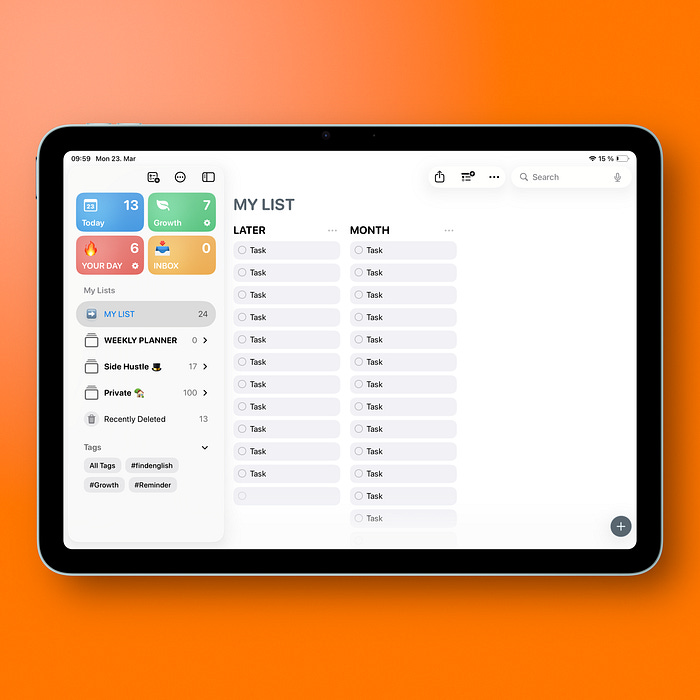
All incoming tasks land in Later. Nothing gets lost, but nothing demands attention yet.
Once a month, review this section and move selected tasks into Month.
From that point on, you only focus on the Month section. This reduces noise and makes weekly planning faster.
If you switch Apple Reminders to column view on iPad or Mac, you can see both sections side by side, which makes this process easier.
Step 2: Build Your Weekly Planner
Now create six lists:
Monday
Tuesday
Wednesday
Thursday
Friday
Weekend
These are your execution lists.
Next, group them:
Drag one list onto another in the sidebar
Rename the group to Weekly Planner
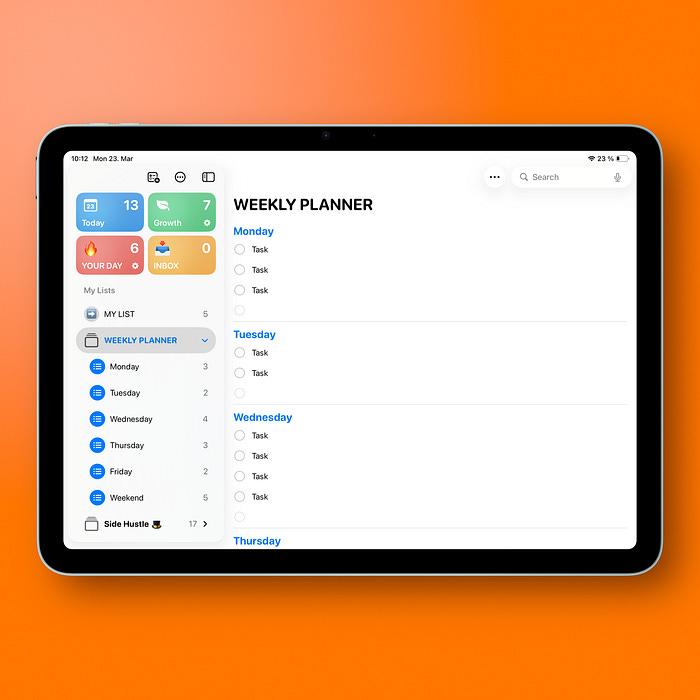
This keeps your week organized in one place as a folder. In Apple Reminders it’s called group btw.
Each week, you assign tasks from your Month section into these daily lists.
Step 3: Plan Your Week
At the start of the week:
Open your Month section
Decide what actually matters this week
Organize tasks across your daily lists
This step is where the system starts working.
You are not planning from everything you could do. You are planning from what you already decided for this month.
Step 4: Use Widgets for Visibility
This is what brings back the feeling of a paper planner.
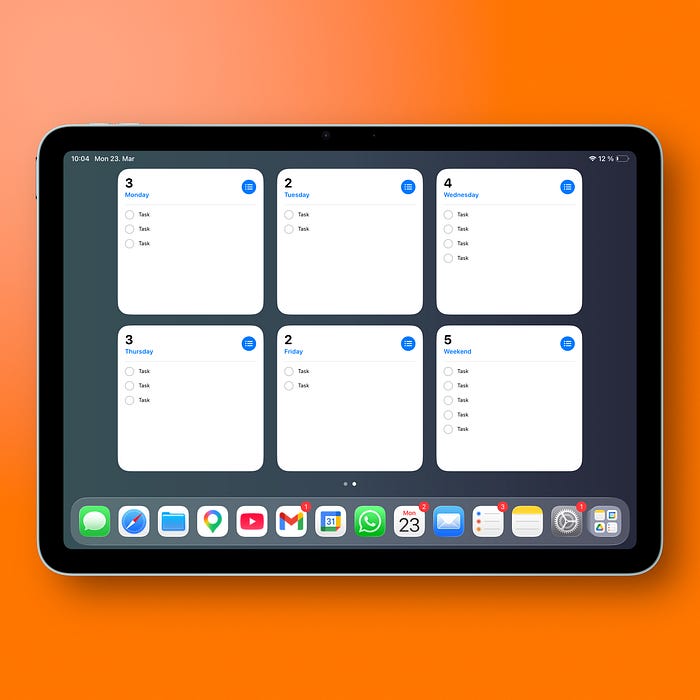
On iPad:
Add a large Apple Reminders widget for each day
Assign each widget to a specific list (Monday, Tuesday, etc.)
You can place multiple widgets on one Home Screen and see your entire week at once.
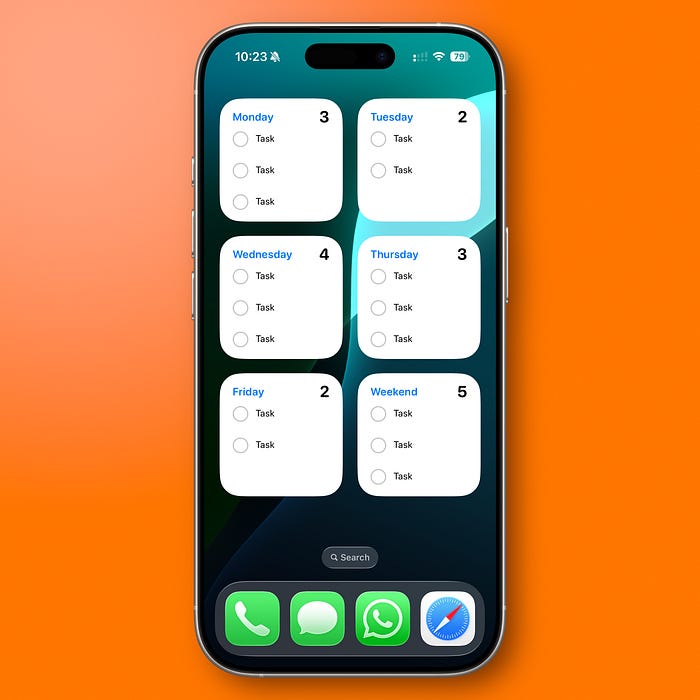
On iPhone, you can recreate a similar layout, depending on screen space.
This works because your plan is always visible. You do not need to open the app to remember what you decided.
Why This Works
This system is effective for a few reasons:
You separate capturing from planning
You reduce weekly decisions by planning monthly first
You keep daily lists focused and realistic
You always see your week at a glance
It is simple, but that is the point. Complexity usually breaks consistency.
Practical Summary
If you want to try this system, start here:
Create an Inbox list for quick capture
Create My List with Later and Month sections
Review Later once a month and move tasks into Month
Create daily lists and group them as Weekly Planner
Plan your week from the Month section
Add widgets to keep your week visible
Final Thoughts
This setup brought me back to what I liked about paper planners: clarity.
The tools changed, but the principle stayed the same — see your week in one place and focus on what matters.
Thanks for reading!
-Robin
I write weekly about Apple systems like this in my newsletter.
“It is simple, but that is the point. Complexity usually breaks consistency.” That is so, so true! And thanks for this article. I need to digest it, but I love the concept behind it. It’s the first organization advice I’ve ever seen that recommended starting with a Later/monthly list and moving those into the daily list. That makes good sense to me.