


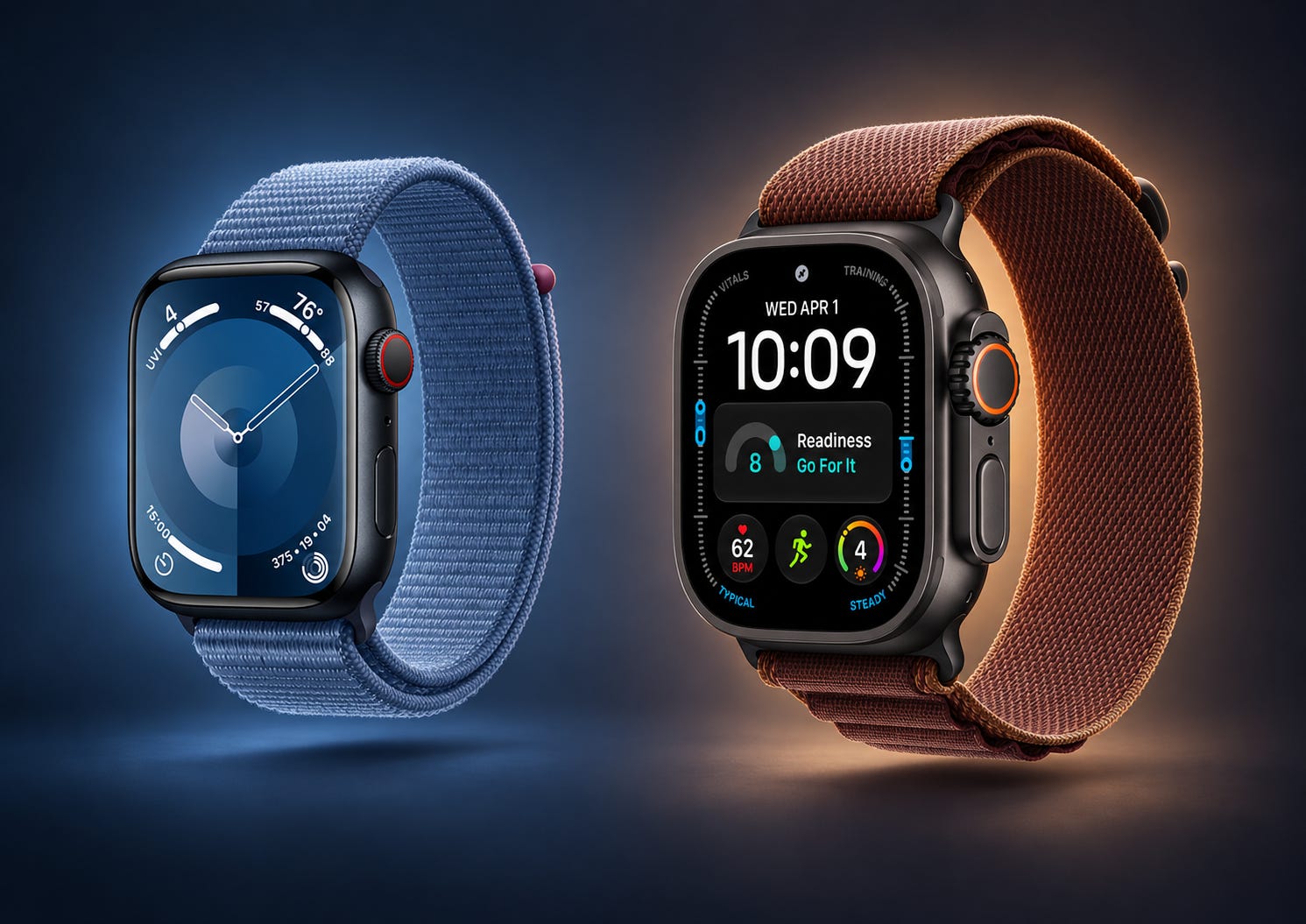
When I’m writing this, I’ve been using my new Apple Watch Ultra 4 for two weeks.
For me, it was quite a big change. Before this, I was using an Apple Watch Series 9.
I knew that moving to the Ultra would give me more features and much better battery life. And honestly, the battery was the main reason I decided to upgrade.
But the biggest change I noticed immediately was the size.
The Ultra feels like a completely different device. It’s heavier and bigger, but you also get more screen space. And the size was actually my biggest concern before buying it.
So here is my experience after two weeks, especially for anyone thinking about upgrading from an Apple Watch Series to the Ultra.
First impression
As always, an Apple device feels like a premium product.
The packaging, unboxing, and materials all feel great. The packaging itself is almost another level of paper engineering. And I think that’s the right way to package a product that costs around $800.


Inside you get the watch, band, and charging cable, but no power adapter.
The setup process is quite straightforward, especially if you’re already using an Apple Watch.
In my case, I chose the black titanium version with the new Burgundy Alpine Loop.
What’s new in Apple Watch Ultra 4?
Before talking about my experience, here are the main changes Apple introduced with the Ultra 4:
New Health Sensing System and S11 chip — including heart-rate measurements every five seconds and much more frequent HRV measurements.
Readiness score and improved Vitals — giving you a daily 0–10 score based on sleep, activity, training load, and other health data.
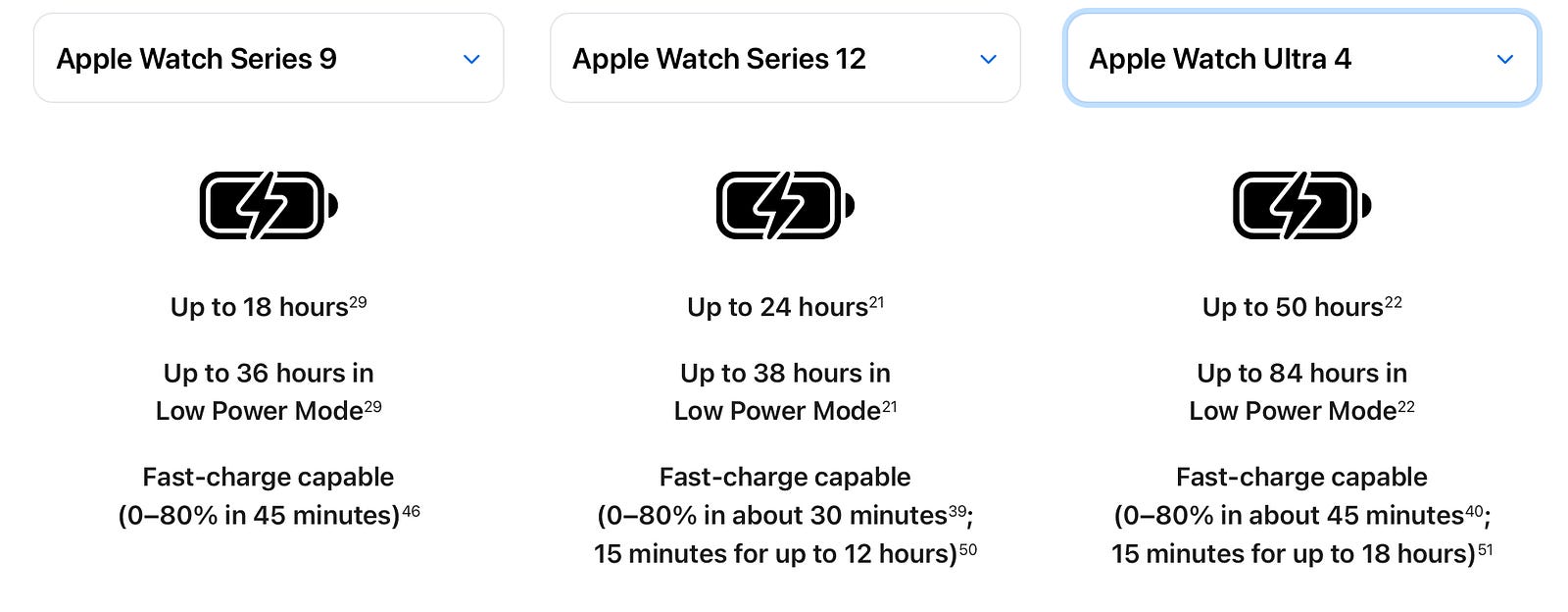
Longer battery life — up to 50 hours of normal use and up to 84 hours in Low Power Mode (actually many users shared they had even 60+ hours usage on Ultra 4).
Better workout endurance and step tracking — including up to 45 hours of outdoor workout tracking in the longest workout mode and a new Steps complication (finally!).
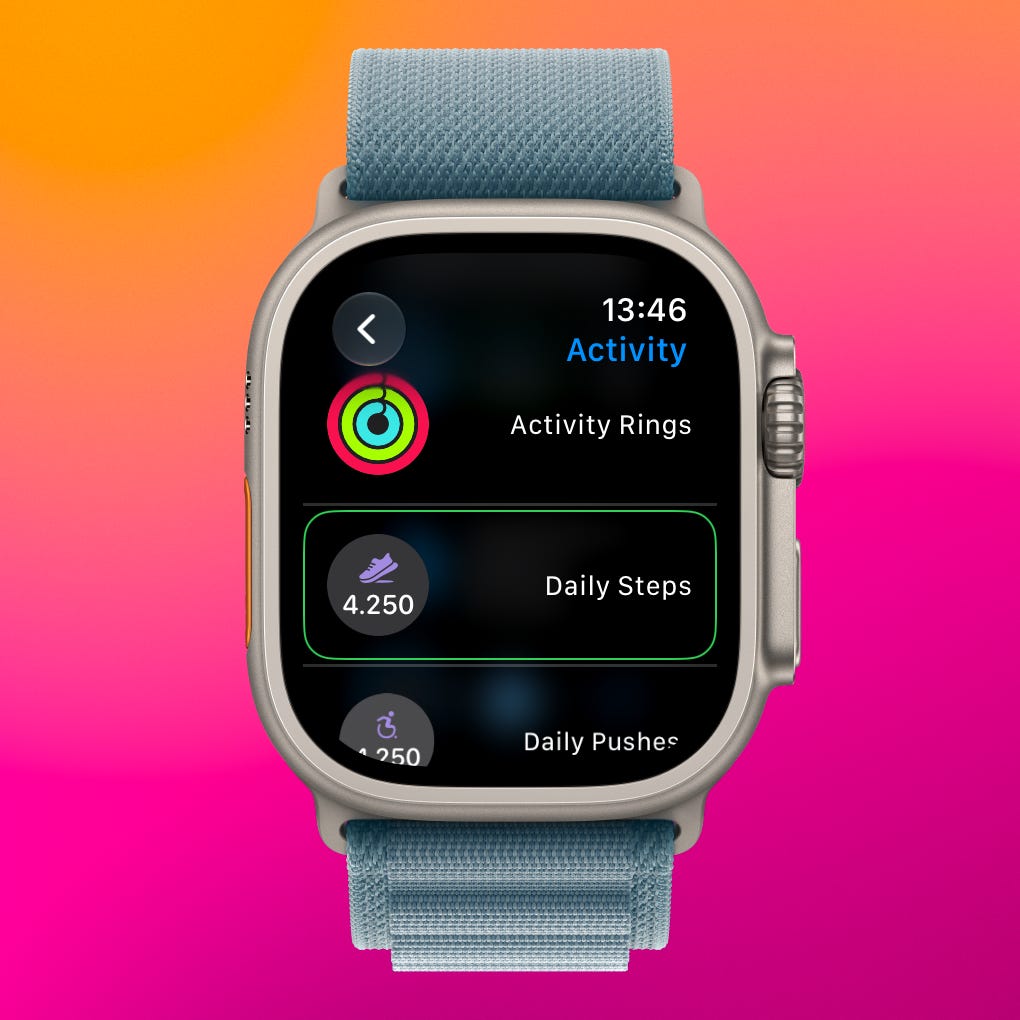
Apple also introduced several health and intelligence features around the S11 chip, with some additional features arriving later.
But in my case, the more important question was different:
What do you actually gain when moving from a Series 9 to an Ultra?
And that difference is much bigger. Coming from my Series 9, I now get:
A much larger 49 mm titanium case with a flat sapphire display
Up to 50 hours of battery life, compared with Apple’s original 18-hour rating for Series 9
A customizable Action button, louder speakers, and built-in siren
Precision dual-frequency GPS
Better water capabilities, including a depth gauge and water-temperature sensor
Cellular plus satellite communication
Ultra-specific watch faces that can show much more information.
The Ultra 4 display can also reach 3,000 nits of brightness, compared with 2,000 nits on the Series 9.
Battery life: the biggest upgrade from my Series 9
Battery life was the most important reason I upgraded.
My old Series 9 had dropped to 78% battery health, and it had become really bad. It couldn’t reliably survive the whole day anymore. Sometimes I had to charge it twice a day.
There were situations when I spontaneously went for a walk with my son, forgot to check the battery beforehand, and after 10 minutes my Watch was already dead.
It became really tiring to always think about charging the watch.
How often do I charge it now?
With the Ultra 4, this has completely changed. Apple officially rates it for up to 50 hours of normal use.
In my own use, after charging it to 100%, I managed almost three days — two nights and three days, around 55–60 hours in total.
That is probably my favorite thing about the Ultra. I simply think about charging much less.
Is Apple Watch Ultra too big for a small wrist?
This was what worried me the most before buying it. My wrist is quite small, so I was worried that such a big watch would look overwhelming on my hand.


I was also thinking about wearing it at work because I often wear long-sleeve shirts, and some of them are quite tight around the wrist.
Yes, with some clothes I can feel that the sleeve is pulled up slightly because the watch doesn’t fit underneath it. But after the first few days, I stopped thinking about it.
Most of the time the watch simply sits outside the sleeve. With looser shirts, it can still fit underneath.
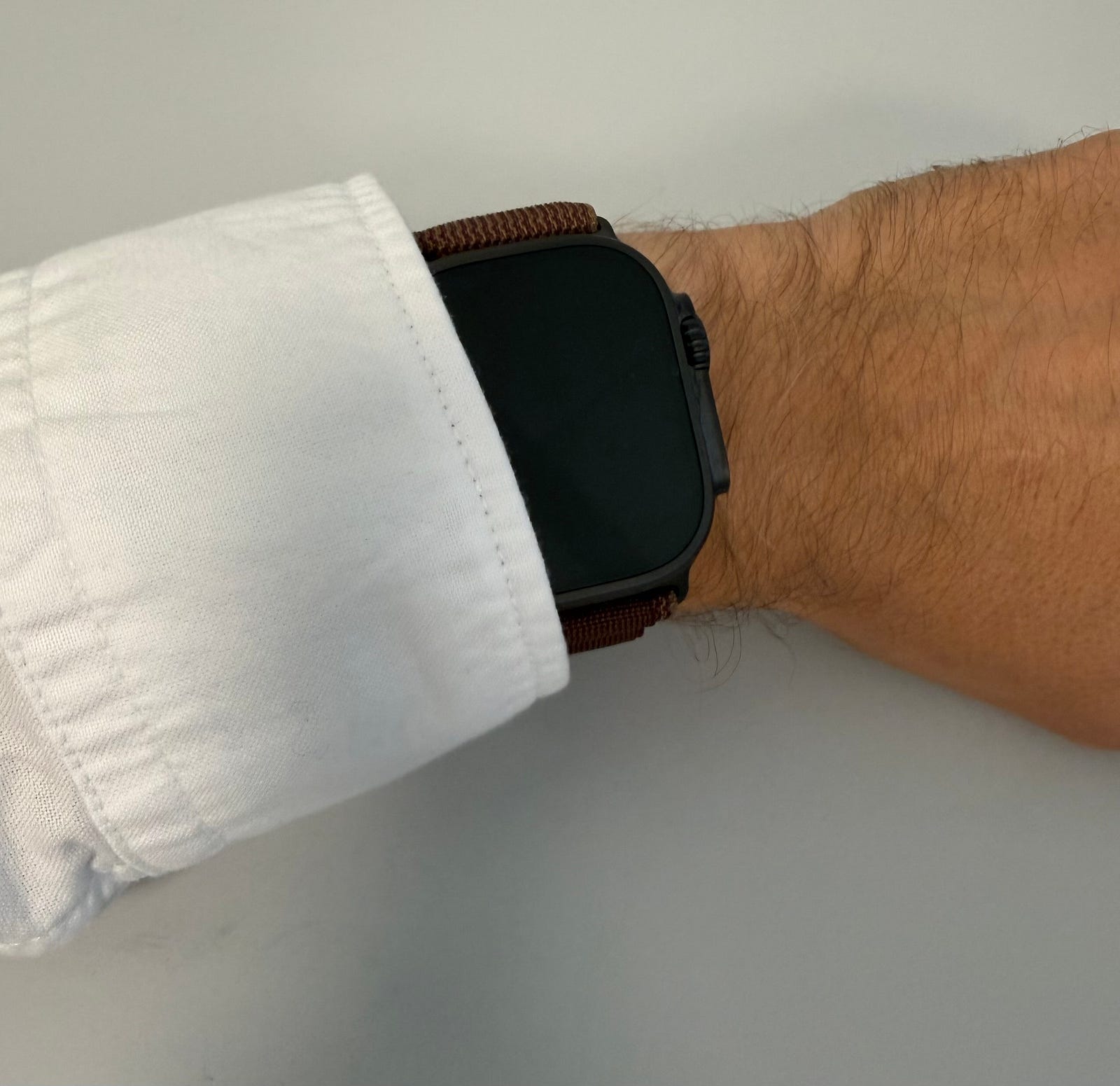
The size itself also became normal surprisingly quickly. And this seems to be quite a common experience. People moving from Series watches to the Ultra often mention that the size feels strange initially but becomes much less noticeable after a few days.
Can you sleep comfortably with Apple Watch Ultra?
The second thing I was worried about was sleeping. I wear my Apple Watch at night because I really like tracking my sleep.
I like understanding how I slept, it also motivates me to keep healthier sleeping habits and go to bed at the right time.
During the first few nights with the Ultra, I could definitely feel the watch on my wrist. It wasn’t uncomfortable. I was simply aware that it was there.
But after a few nights, that feeling disappeared. Now I don’t notice much difference compared with sleeping with my Series 9.
This is obviously very personal. Some Ultra users say they quickly stop noticing it, while others still prefer the thinner Series models for sleeping.
For me, it hasn’t been a problem. And because the battery lasts so much longer, sleep tracking is actually easier. I no longer need to carefully plan charging around going to bed.
Screen and app experience
This is probably the biggest improvement I notice during everyday use.
The Ultra 4 has a 49 mm flat display, compared with the 45 mm case on my Series 9. The screen feels big, clear, and very easy to use.
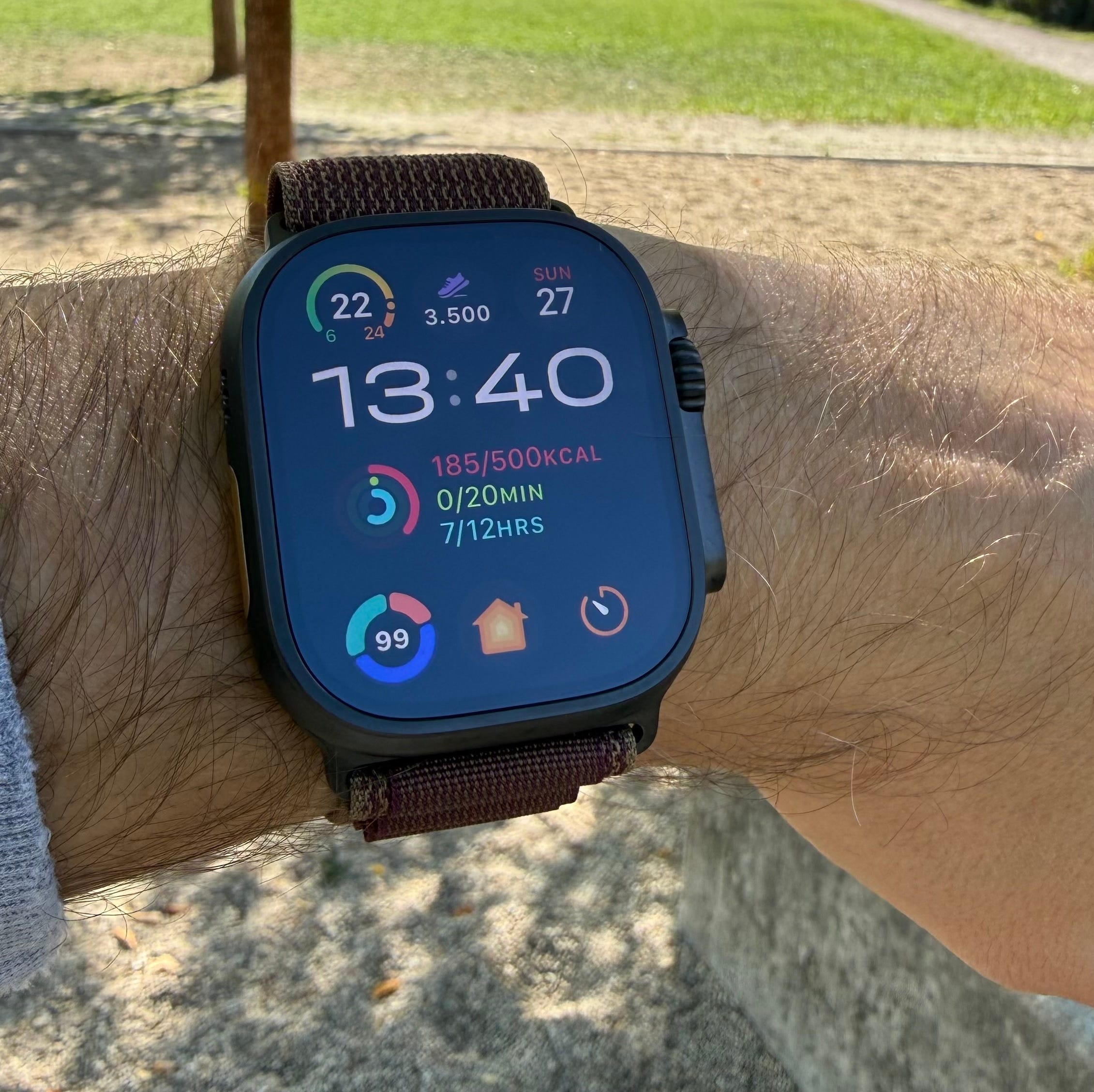
I love the Ultra watch faces because I can put much more data and more complications directly on the screen. Apps, text, and notifications are also easier for me to read.
I don’t feel like I need to focus as much to see what’s there. I can quickly look at the screen and understand the information.
Touching small elements also feels easier. When I want to tap something, there is simply more space to put my finger exactly where I want it.
It sounds like a small difference on paper, but during normal daily use the larger screen is one of the things I notice most.
What’s on my Ultra 4 watch face
Some of you have asked me about this on Threads, so I think it’s interesting to show how I actually use the extra screen space.
So far, I’m using the Modular Ultra face in Ultra Blue. The data and apps I keep there are:
Weather: rain forecast
Activity: daily steps
Calendar: today’s date
Activity Rings
Weather: temperature
Home
Timer
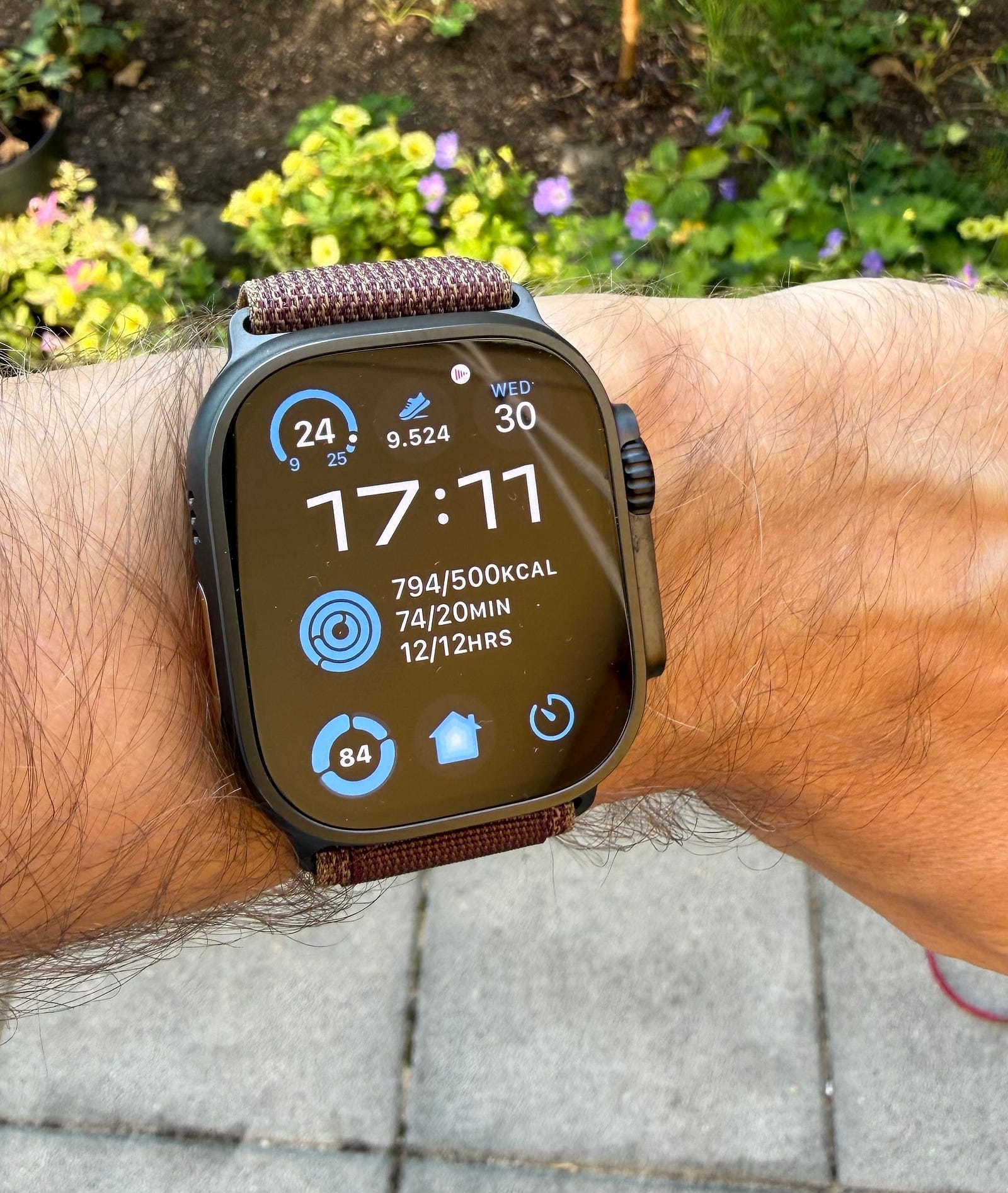
I like having most of the information I use during the day available without opening any apps.
And this is one of those small things that makes the larger Ultra screen useful even if you’re not using the watch for extreme sports.
Is upgrading from Apple Watch Series 9 to Ultra 4 worth it?
After two weeks, for me it was worth it.
But mostly because of three things:
battery life,
the larger screen,
and how much less I have to think about charging.
The Ultra-specific sports features, stronger case, GPS, Action button, and satellite communication are nice additions. But I don’t think I use them all.
And after moving to the Ultra, going back to a smaller Apple Watch would probably feel strange now.
Thanks for reading!
-Robin
P.S. If you want to know how I use the full setup of Apple Notes, Reminders and a simple weekly workflow — it’s all in one place. 70 pages, no extra apps needed. The Simple Apple System →
Footnote: All screenshots made on Apple Watch Ultra 4, edited with Shareshot app. Text written fully by author (human), edited with Grammarly to correct any spelling or grammar mistakes.